
Remote security monitoring: what it is and how to use it
What remote security monitoring is, how a monitoring centre handles alarms, and how to decide between remote monitoring and on-site guards — including what to check when choosing a provider.
By Knighthood Team
Published 13 September 2023
Updated 14 October 2026
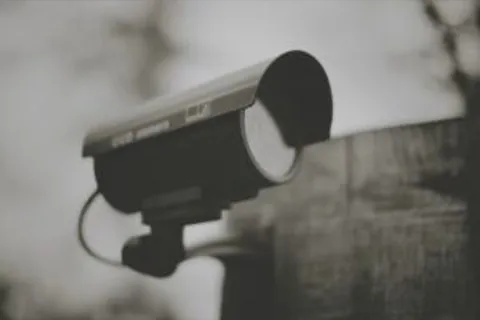
Remote security monitoring is a service where a third-party team watches your alarms and cameras around the clock, from a monitoring centre, instead of you carrying that responsibility on site. When an alarm triggers, the monitoring team verifies it and takes the appropriate action — dismissing a false alarm, contacting local guards, or informing the authorities. It is a way to get 24/7 vigilance on a site without paying for a person at every location. The video surveillance options guide compares the different ways of running the system a monitoring centre watches.
How it works
Your site’s alarms and cameras connect to the provider’s monitoring centre, staffed continuously by trained operatives. When a signal comes in:
- The operative reviews the video or sensor data for the trigger.
- They decide whether it is a genuine event or a false alarm.
- If genuine, they escalate to the right responder — on-site security, local personnel or the police — with the relevant information.
- The whole loop, from alarm to response, is designed to complete within minutes.
Because the verification step happens before dispatch, your on-site team is not woken or called out for every false positive — which is one of the main differences between monitored and unmonitored systems.
Remote monitoring vs on-site guards
The choice is not “either/or” — many sites combine both — but it helps to be clear on the trade-offs:
- On-site guards bring a physical presence and personal judgment, but the cost scales with every post and shift, and coverage stops where the person cannot be.
- Remote monitoring gives constant coverage across many sites from one centre, and scales cheaper than adding posts. It cannot do physical intervention, so it works best where the required response is escalation rather than hands-on presence.
- The common model is fewer on-site posts plus remote monitoring: the analytics and the centre cover the ground the guards cannot, and guards handle the physical response when the monitoring team calls.
Whoever employs those guards carries the wage and statutory side of the arrangement — the state minimum wage for the role, plus provident fund and ESI on the applicable wages. That is the reason to keep the guarding partner as the employer on the contract rather than buying bodies through an intermediary.
For most multi-site operations the calculation is about what each site actually needs physically, and what can be watched remotely instead. The security-guard cost guide helps you price the physical side of that comparison.
What remote monitoring does well
- Round-the-clock coverage — monitoring does not take breaks, so sites are watched overnight and on holidays when staffing would otherwise drop.
- Faster, verified responses — alerts are triaged in minutes by trained operatives rather than left to whoever happens to be awake.
- Cost control at scale — one monitoring team covers many sites; you pay a service fee per site instead of the full cost of posts.
- A feedback loop — the monitoring team flags repeated false positives, which improves the analytics or sensor settings on your system over time.
What to check when choosing a provider
- Experience with sites like yours — a provider that monitors similar sites understands the events that matter and the response routes.
- Response discipline — how long between alarm, verification and escalation? What is committed in the SLA?
- Escalation path — who exactly is contacted at each level (your guards, local authorities), and how are you kept informed?
- Integration — does the centre work with your existing CCTV and analytics, or do you need to replace equipment?
- Reporting — you should get records of alerts, verifications and responses, not just a promise of monitoring.
- Licensing and data handling — if the centre dispatches guards, that operator needs a private security agency licence under the PSARA Act, 2005 for the state concerned. And recorded footage of identifiable people is personal data under the Digital Personal Data Protection Act, 2023, so ask where footage is stored, for how long, and who can view it.
Remote monitoring is most valuable when it is designed around the sites it protects — the detection, the escalation and the reporting all have to match how your operation actually runs. If you are assessing it for specific sites, send us the site types and the current guarding model, and we will confirm how monitoring, analytics and on-site guards should be combined for your situation.
Frequently asked questions
What actually happens when an alarm goes off at 3am?
An operative looks at the video or sensor data behind the trigger and decides whether the event is real. If it is, they escalate to the pre-agreed responder — your on-site guard, a patrol, local staff or the police — and pass on what they saw. If it is not, they close it and log it. The verification step is what stops your team being called out for every shadow and cat.
Is remote monitoring enough on its own?
No, and anyone who says otherwise is selling a product rather than a plan. A monitoring centre can see and verify; it cannot physically stop someone. It works as one layer above detection and below response, and it is strongest on sites where the worst outcome is a delay before the police or a patrol arrive.
How is remote monitoring priced?
Almost always per site or per camera feed on a recurring subscription, not per hour watched. That is what makes it cheaper than a post: one team covers many sites at once. Ask what is included — alert handling, reporting, equipment maintenance, after-hours escalation — because the per-site fee often hides the add-ons.
Will it work with the cameras I already have?
Usually, if they are IP cameras that expose a stream the provider can pull, and if the provider’s analytics can be configured to your scene. Older analogue systems may need an encoder or replacement. Get this confirmed in writing before you sign, because “we integrate with everything” is the most common thing a provider says and the first thing that slips during installation.
What should the provider report to me every month?
Alerts received, how many were verified as genuine, what each response was, and how long the loop took from trigger to escalation. A report that shows only cameras and uptime tells you the system is on, not that it is working. Ask for the response times alongside the alert counts, and hold the provider to the SLA in the contract.
Does remote monitoring reduce my insurance or liability?
It can support a claim that you took reasonable precautions, but the effect on premiums and liability depends on your policy wording and your own obligations — not on the monitoring service alone. Treat monitoring as one documented control in a layered plan, and keep the records that prove it ran.
Send the requirement
If this post points at a decision you are close to making, send us the scope — sites, roles and shifts — and we will confirm the licence, supervision and commercial position for your situation.
Discuss your requirement